27 vs 32 Inch Monitor: Which Size Is Better for Work and Gaming?
A side-by-side look at 27-inch and 32-inch monitors, with the real size gap, desk-fit tradeoffs, and the resolution choices that usually matter most.
27 vs 32: what changes in real life
On paper, the jump from 27 to 32 inches looks modest. At a desk, it rarely feels modest. Text scale, window spacing, and even how far your eyes travel across the panel all change once the screen gets that bit larger.
27-inch vs 32-inch size chart (16:9)
These screen-only values help you judge desk fit quickly. Add extra margin for bezels and monitor arm movement.
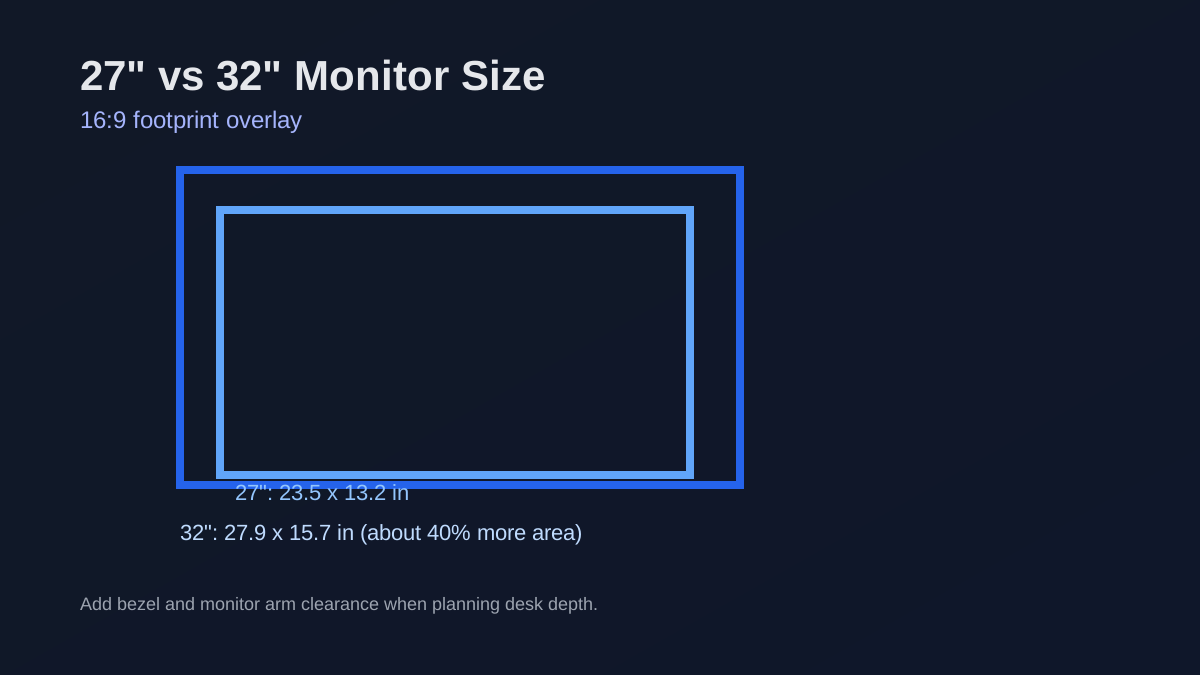
27 vs 32 monitor dimensions at 16:9
| Monitor size | Width (approx.) | Height (approx.) | Area difference |
|---|---|---|---|
| 27 inch 16:9 | 23.5 in | 13.2 in | Baseline |
| 32 inch 16:9 | 27.9 in | 15.7 in | About +40% |
Screen-only dimensions. Add bezel and stand depth for real desk planning.
Resolution and pixel density: the hidden factor
At 27 inches, 1440p is often a clean balance for sharp text and GPU load. At 32 inches, 1440p is still usable, but many people prefer 4K for crisper UI and reading comfort.
Desk fit and viewing distance checklist
Before choosing 32-inch, check whether your desk depth can keep the screen roughly 24-34 inches from your eyes. If your desk is shallow, 27-inch often feels easier and cleaner.
- If you multitask heavily, 32-inch gives more breathing room.
- If you value eye comfort on compact desks, 27-inch is often safer.
- For competitive gaming, 27-inch remains the common default.
Common mistakes when comparing 27 and 32
The biggest mistake is comparing diagonal only. The second mistake is ignoring your current scaling settings and text comfort. Always test a realistic viewing distance before buying.
FAQ
Is 32-inch too big for coding?
Not by default. It depends on desk depth, seating distance, and resolution. Give a 32-inch screen enough room, and many developers love it. Push it too close at low pixel density, and it can feel tiring fast.
Is 27-inch better for gaming?
For competitive titles, yes in many setups. It is easier to scan quickly and pairs well with high refresh 1440p configurations.
How much bigger does 32-inch feel vs 27-inch?
At 16:9, 32-inch has about 40% more screen area than 27-inch, so the change is immediately noticeable in both workspace and immersion.
Related comparisons
Related guides
Laptop display guides
Laptop Screen Size Guide: Dimensions & Comparison Chart
Monitor guides
Best Monitor Size for Gaming: 24 vs 27 vs 32 vs 34 Inch
Monitor guides
Monitor Size Chart: Common Computer Monitor Screen Sizes
Monitor guides
Monitor PPI Chart by Size and Resolution
Monitor guides
Monitor Resolution Guide: 1080p, 1440p, and 4K Picks